01 / cPanel alternativeUpdated 6 Nov 2026 · prices checked November 2026
CTAPanel
The cPanel alternative with unlimited accounts
CTAPanel is a hosting control panel for your own Linux servers. It runs hosting accounts, resellers, email, DNS, SSL, databases, FTP and backups, with a WHM-like admin panel and a cPanel-like account panel. cPanel licences are priced per server and per account, and go up again on 16 December 2026. A CTAServer plan covers the whole fleet with unlimited accounts: one server with 100 accounts costs $69.99 a month on cPanel Premier and $19 on CTAPanel.
The four differences that decide most moves, then who should switch and who should stay.
01
One price for the fleet
cPanel bills every server by its account count. CTAServer bills your organisation once, and hosting accounts are unlimited. 5 servers with 150 accounts each cost $472.45 a month on cPanel and $19 on CTAPanel.
02
The same daily work
Accounts, packages, resellers, addon and parked domains, mailboxes, DNS zones, Let’s Encrypt, FTP, MariaDB and backups. Admins work on port 1001, account owners and resellers on port 1002.
03
A newer stack by default
OpenLiteSpeed with HTTP/3, LSPHP 8.1 to 8.4, ModSecurity with the OWASP Core Rule Set, ClamAV, fail2ban, and per-account RAM and CPU limits through Linux cgroups, with no CloudLinux licence needed for that.
04
A short way out of cPanel
An existing cPanel server can be switched to CTAPanel in place. Sites, databases, mailboxes with their passwords, DKIM keys, SSL certificates and DNS records stay on the same machine.
CTAPanel fits if
You sell shared or reseller hosting and the per-account charge grows with every customer.
You run several servers and want them in one list, with one search, one alert list and one audit log.
Your customers need mail, DNS, files, databases, SSL and backups more than an app catalogue.
You want to leave cPanel on the same server, without a migration weekend.
cPanel is still the better fit if
×Your customers rely on Softaculous, WP Toolkit, Git or staging inside the panel.
×Account owners need SSH, Node.js or Python apps, or PostgreSQL.
×You depend on cPanel plugins such as JetBackup or Imunify360.
×You need an interface in a language other than English or Turkish.
03 / Two panelsPorts 1001 · 1002
A WHM and a cPanel, on every server
CTAPanel has two doors, the same way cPanel & WHM do. Both run on the server itself and look the same, so admins and account owners find things in the same place. The screenshots are the real interface with sample data.
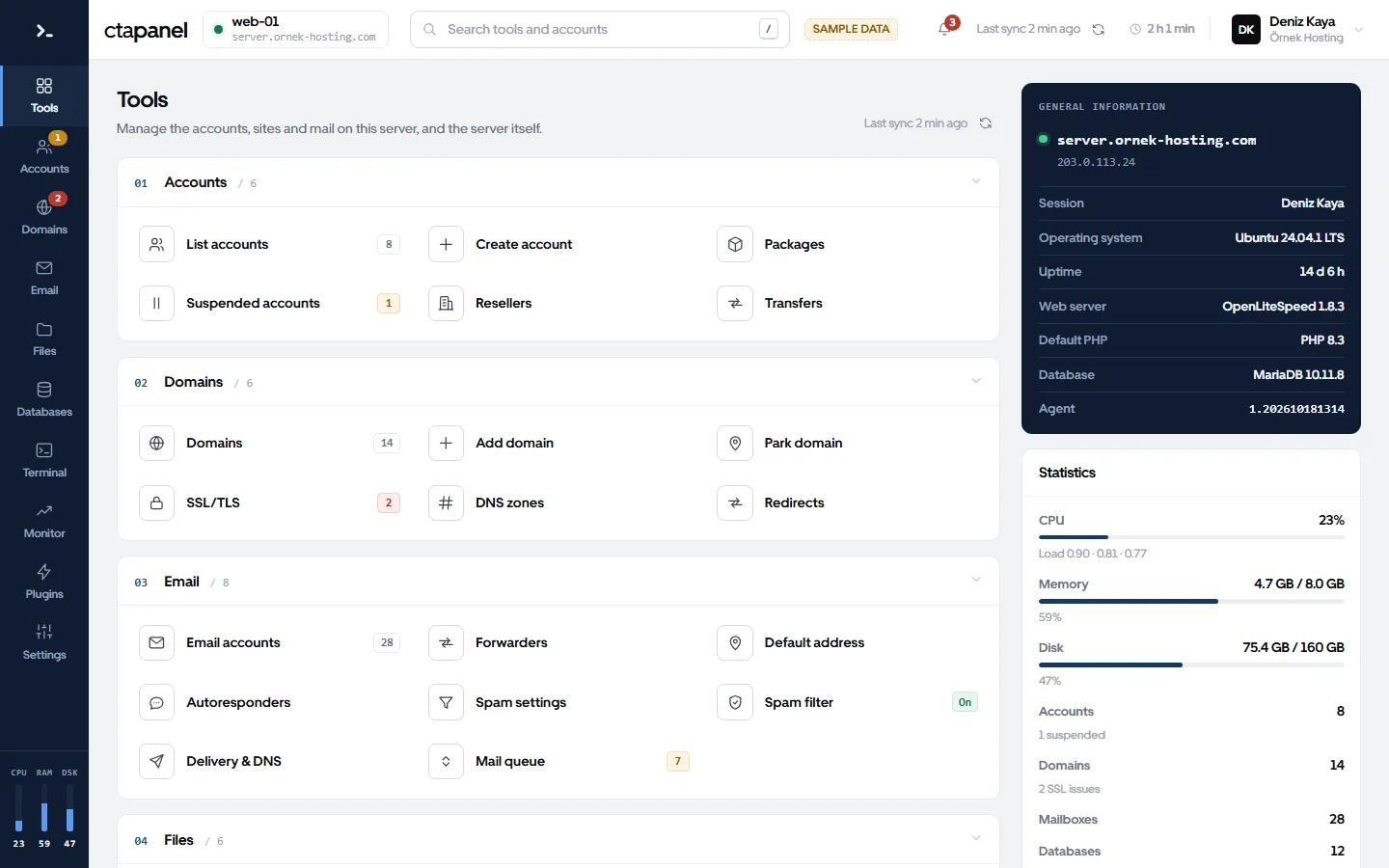
Admin home on port 1001: tools by group, server details and live CPU, RAM and disk.
Port 1001
Server panel for admins
Opens from app.ctaserver.com with a one-time link, so there is no password form to attack. It has 50 tools in eight groups:
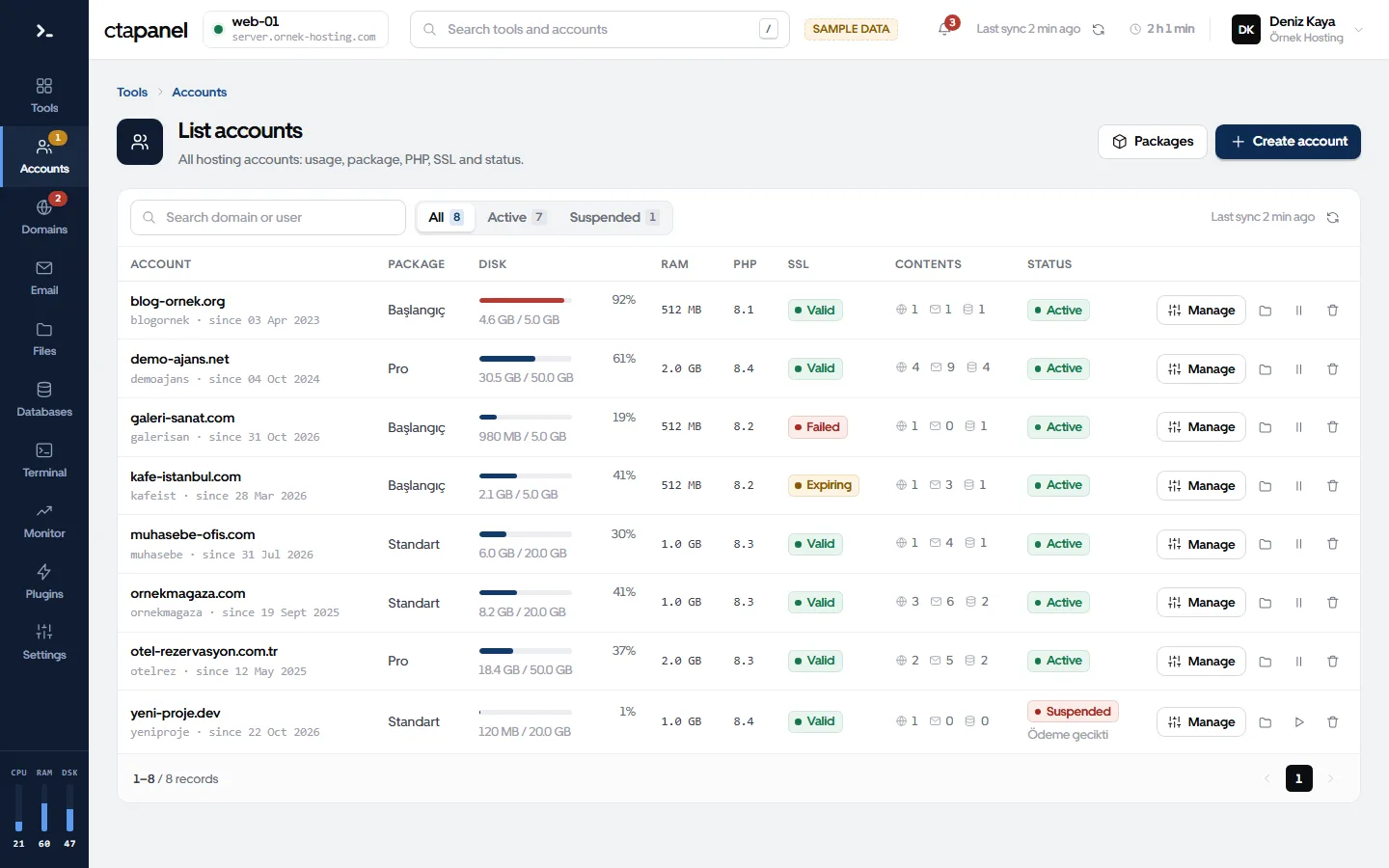
Accounts, packages, resellers and transfers
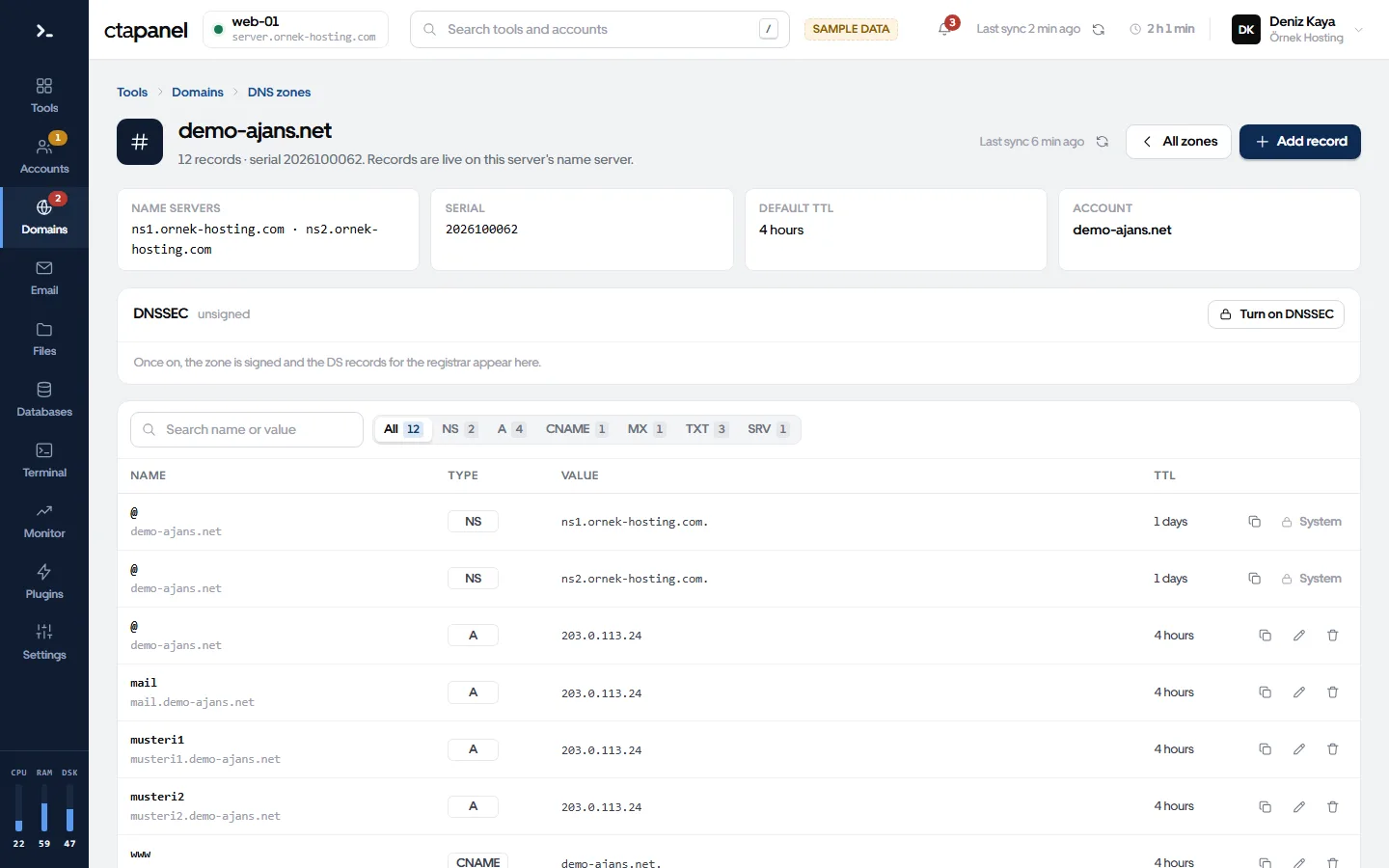
Domains, parked domains, SSL, DNS zones and redirects
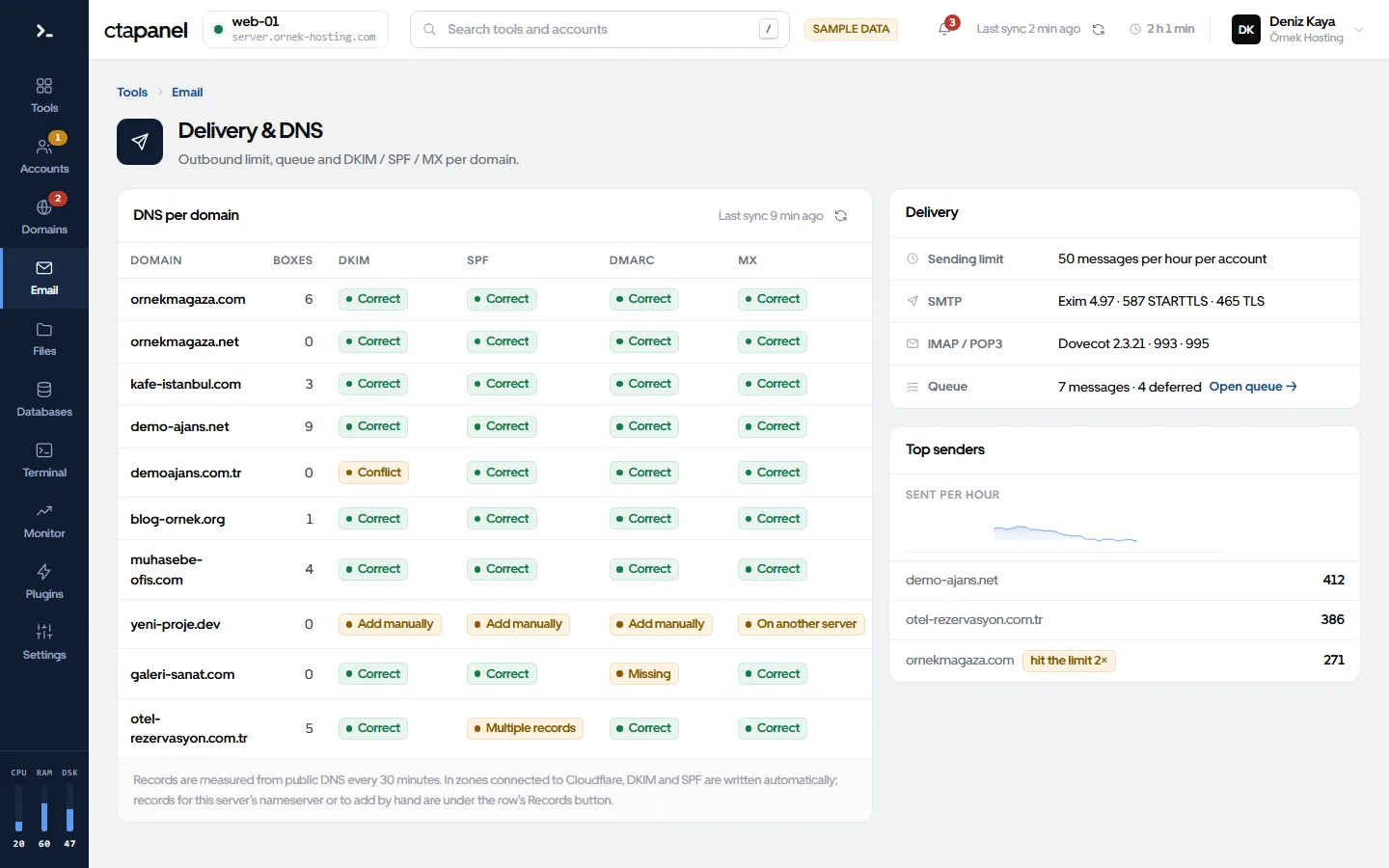
Mailboxes, forwarders, autoresponders, spam filter, delivery checks and the Exim queue
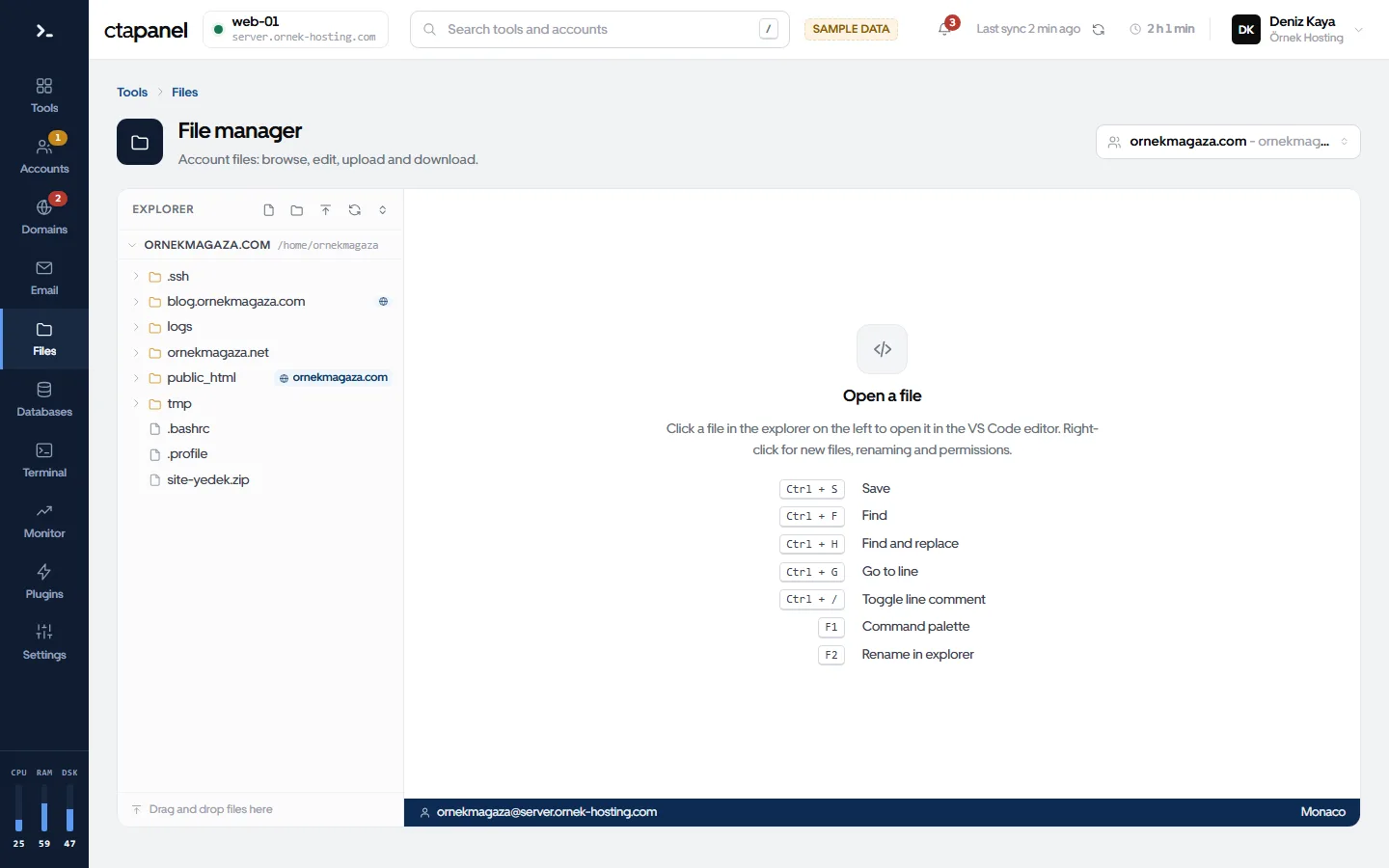
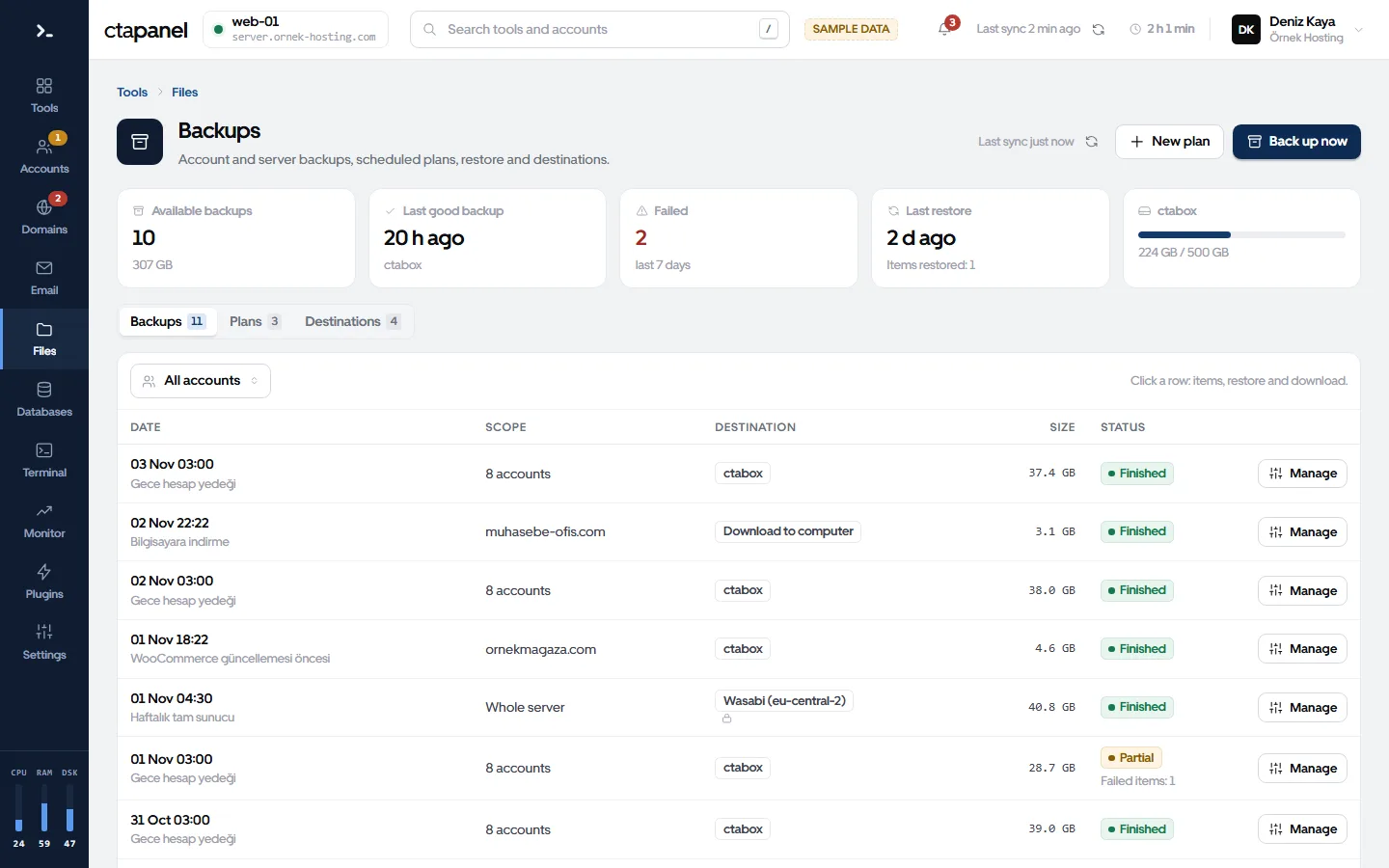
File manager, FTP, disk usage, logs and backups
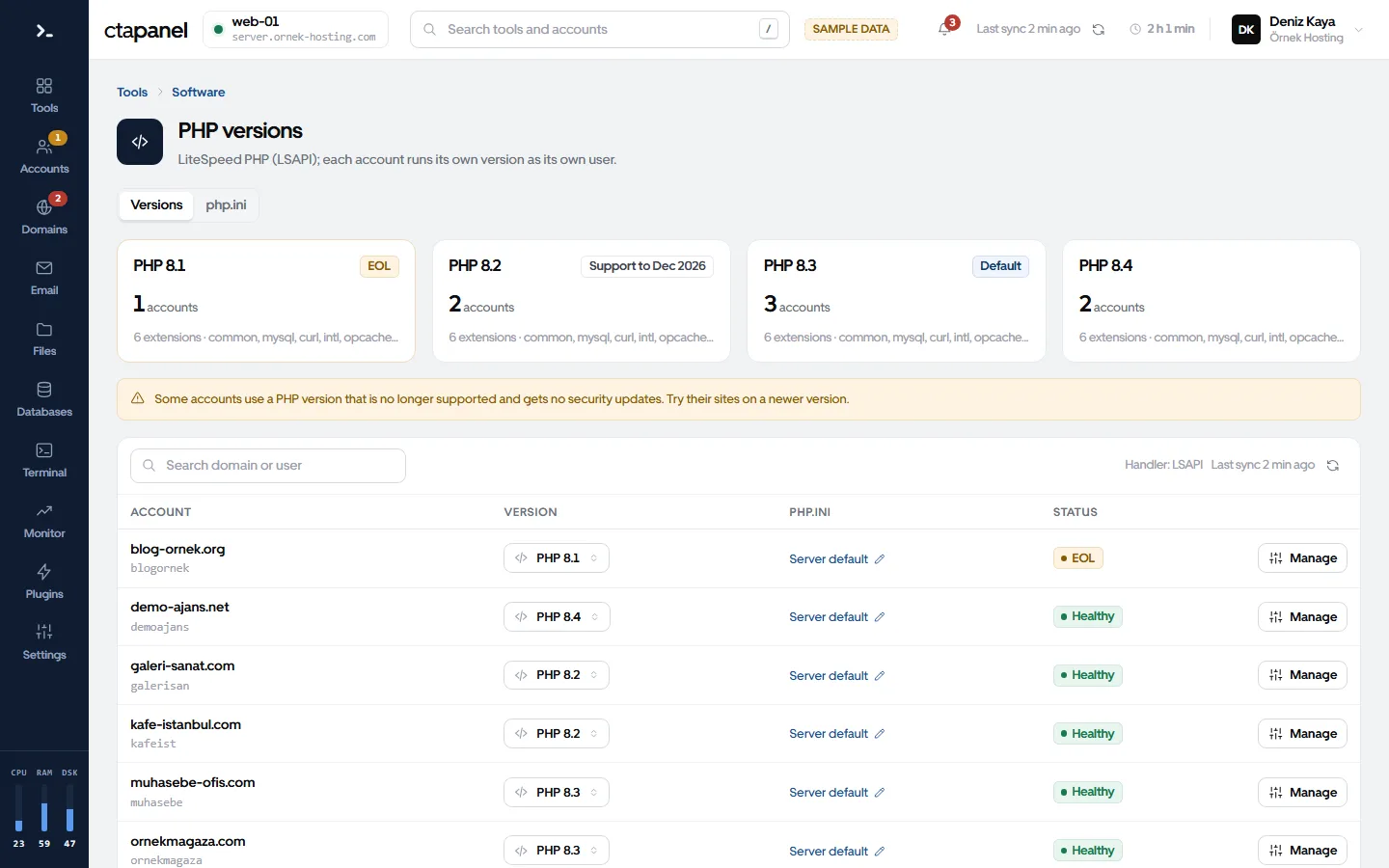
PHP versions, php.ini, software and cron jobs
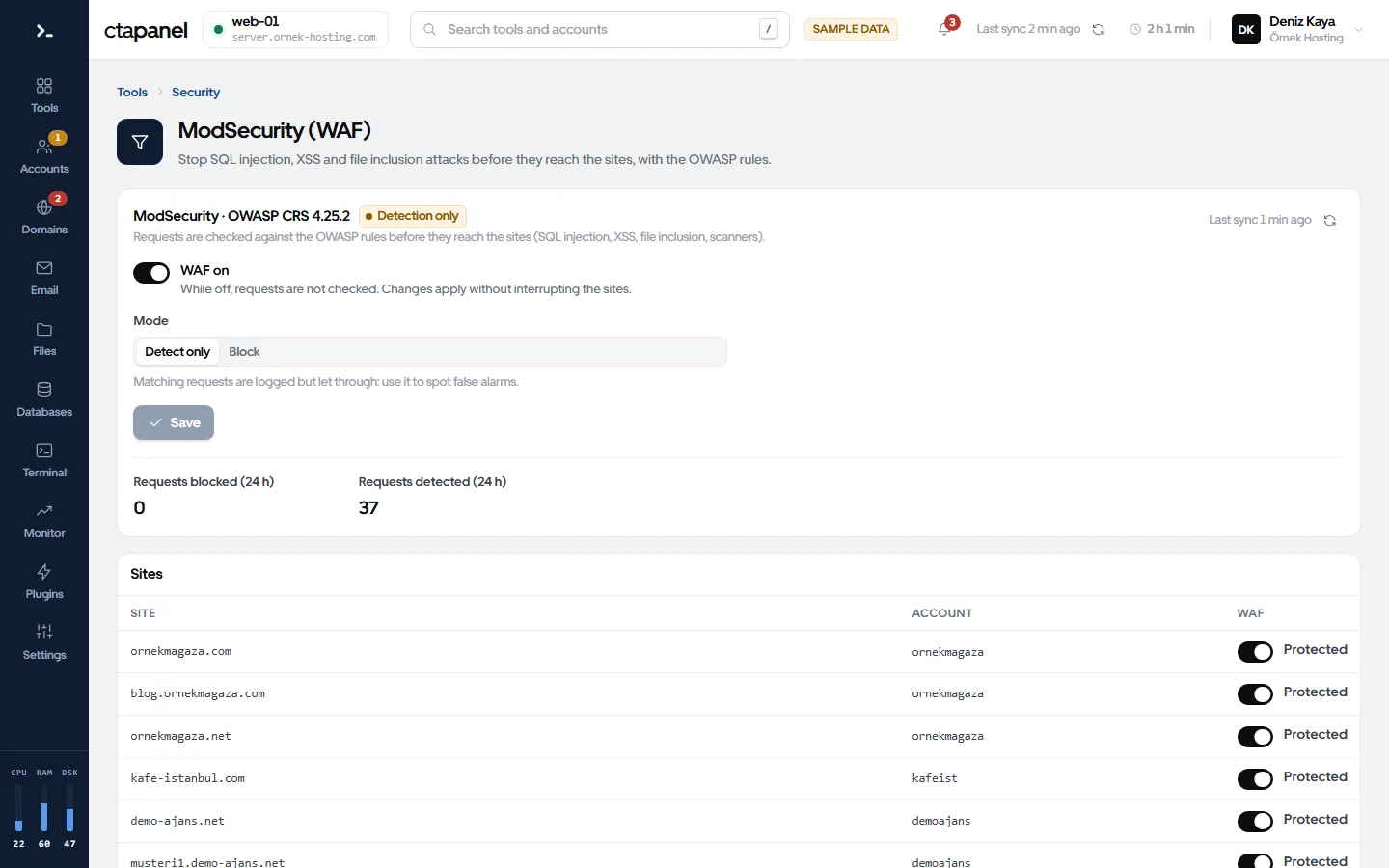
ModSecurity, virus scanner, login protection, firewall, SSH, root password and OS updates
Databases and database users with phpMyAdmin
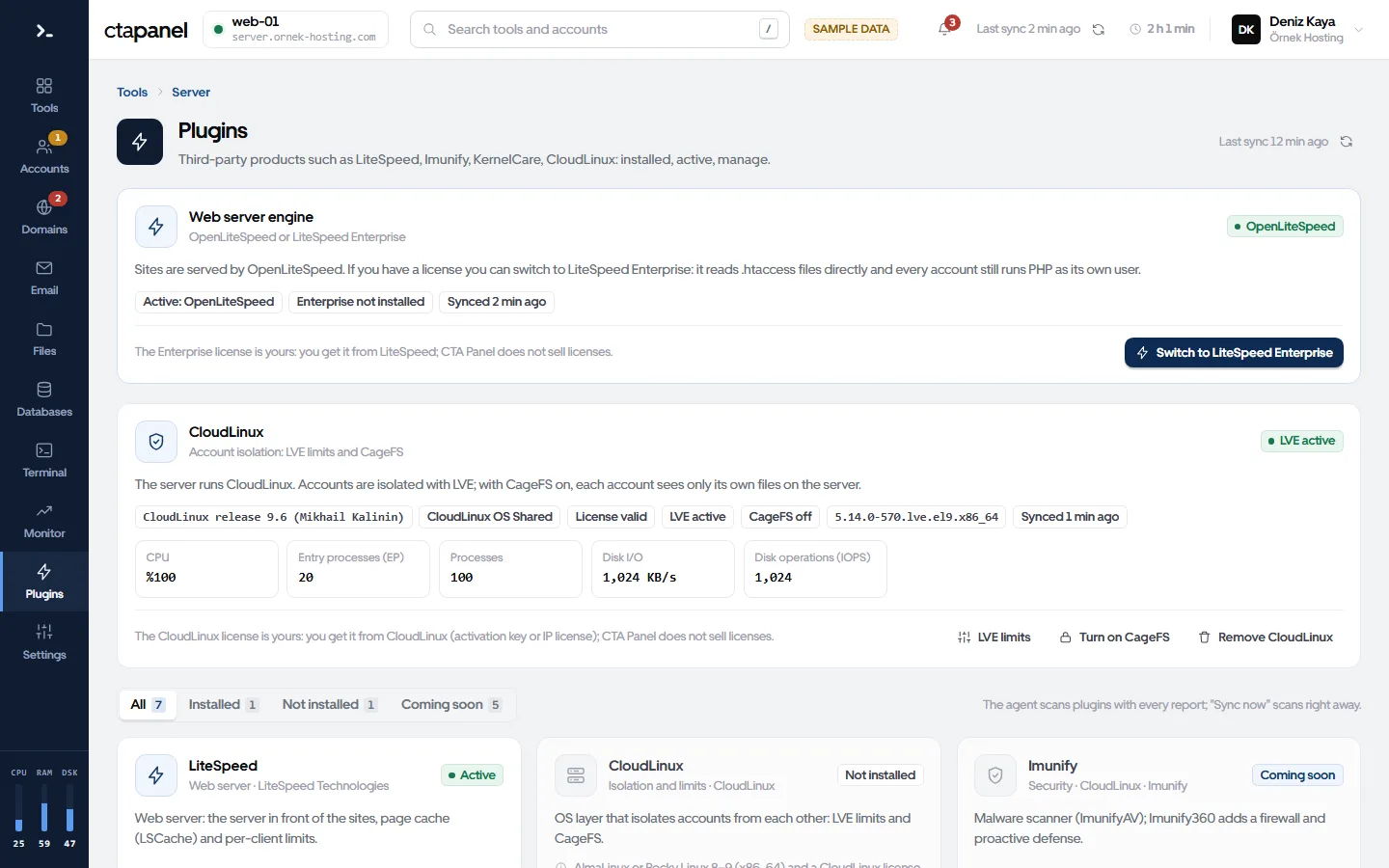
Terminal, assistant, services, live monitor, alerts, jobs, audit log, settings and plugins for LiteSpeed Enterprise and CloudLinux
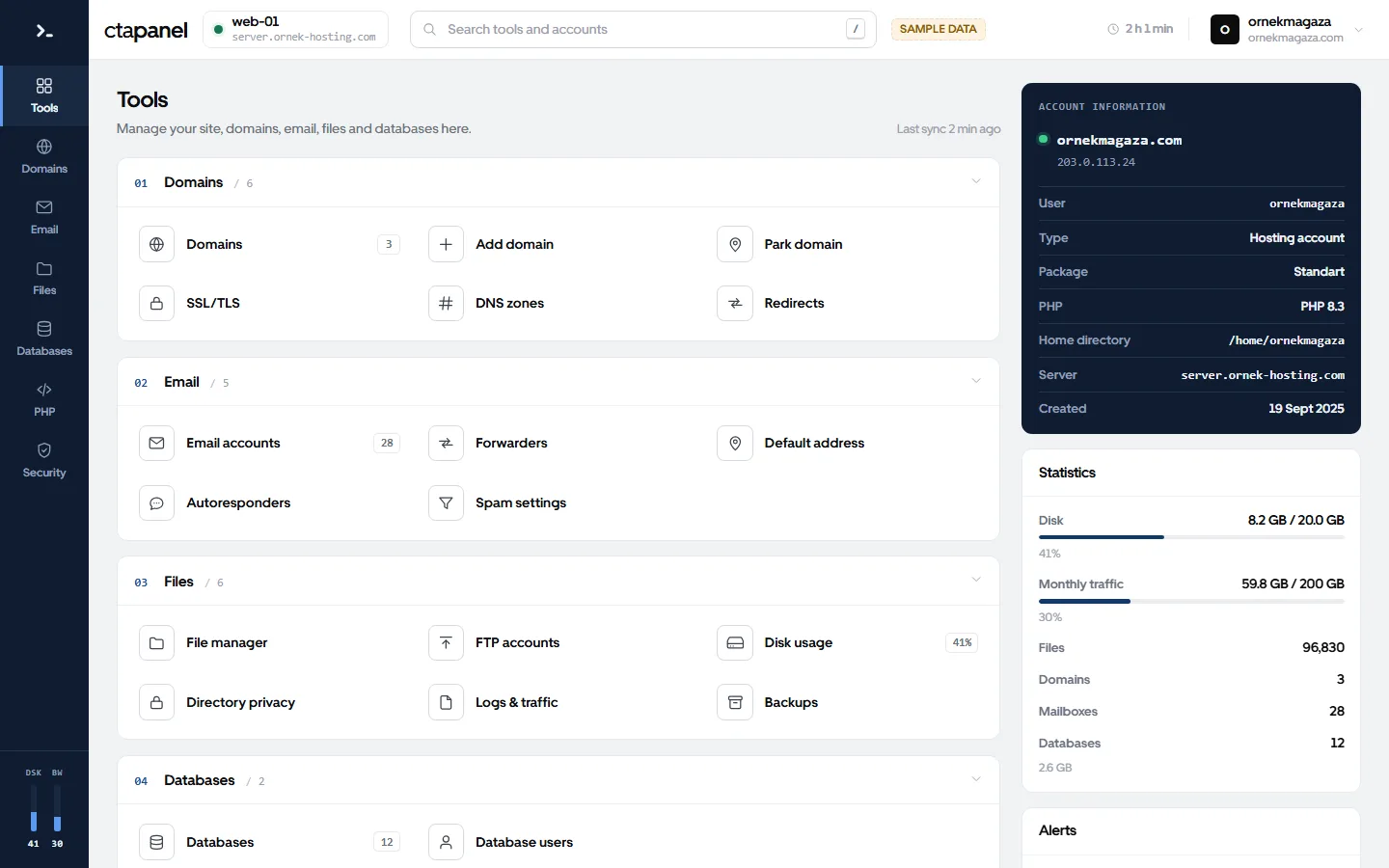
Account home on port 1002: the customer’s tools, package, PHP version and usage.
Port 1002
Account panel for customers
Hosting accounts sign in with a username and panel password, with optional two-factor codes. Each account gets 25 tools, and resellers also get their customers and packages:
Domains: add, park, SSL, DNS zone and redirects
Email: mailboxes, forwarders, default address, autoresponders and spam settings
Files: file manager, FTP accounts, disk usage, protected folders, logs and backups
Databases and database users with phpMyAdmin
PHP version and php.ini, cron jobs
ModSecurity and virus scans for their own sites
Password and two-factor sign-in
04 / PriceUSD · excl. VAT
cPanel pricing against CTAPanel pricing
cPanel’s store prices rise on 16 December 2026, for new and existing licences. The tables show both price lists next to the CTAServer plans, which include CTAPanel on every server.
Monthly cost for the same fleet
Fleet
cPanel today
CTAPanel
Difference
cPanel from 16 Dec 2026
1 server × 1 account
$29.99Solo
$19Solo
$10.99
$32.99
1 server × 30 accounts
$53.99Pro
$19Solo
$34.99
$58.99
1 server × 100 accounts
$69.99Premier
$19Solo
$50.99
$76.99
3 servers × 100 accounts
$209.97Premier
$19Solo
$190.97
$230.97
5 servers × 150 accounts
$472.45Premier
$19Solo
$453.45
$522.45
10 servers × 200 accounts
$1,189.90Premier
$29Team
$1,160.90
$1,319.90
20 servers × 300 accounts
$3,359.80Premier
$39Scale
$3,320.80
$3,739.80
cPanel store prices per server
Licence
Accounts
Today
From 16 Dec 2026
cPanel Solo
1
$29.99
$32.99
cPanel Admin
5
$35.99
$38.99
cPanel Pro
30
$53.99
$58.99
cPanel Premier
100
$69.99
$76.99
Each account above 100
1
$0.49
$0.55
CTAServer plans
Plan
Servers
Accounts
Monthly
Yearly
Solo
5
Unlimited
$19
$192
Team
10
Unlimited
$29
$312
Scale
20
Unlimited
$39
$432
Your own numbers
cPanel on every server$472.45/ monthPremier · $94.49 per server
CTAPanel$19/ monthCTAServer Solo · up to 5 servers, unlimited accounts
Licences you add yourself, such as CloudLinux or LiteSpeed Enterprise, cost the same on both sides and are not included.
cPanel store prices in US dollars, excluding VAT, checked November 2026. Partner (NOC) prices differ, so compare with your own invoice.
cPanel counts accounts, not domains. One account can hold several sites.
CTAServer prices exclude VAT. Every plan has every feature and priority support, except that Solo has no AI features or team members; Team adds them. Paid yearly, the plans cost $16, $26 and $36 a month.
Every CTAPanel cell was checked in our code before it went on this page. Where CTAPanel is weaker, the cell says so.
Feature
cPanel & WHM
CTAPanel
Licence and price
Licence model
cPanel & WHMPer server, priced by account count: Solo 1, Admin 5, Pro 30, Premier 100, then $0.49 for each extra account
CTAPanelOne subscription for the whole fleet: 5, 10 or 20 servers. Hosting accounts are unlimited on every plan
1 server, 100 accounts
cPanel & WHMPremier $69.99 a month, $76.99 from 16 Dec 2026
CTAPanelSolo $19 a month, and it covers up to 5 servers
5 servers, 150 accounts each
cPanel & WHM$472.45 a month
CTAPanel$19 a month, one plan for the whole fleet
Free trial
cPanel & WHM15-day trial licence
CTAPanel7 days with every feature, no card
Third-party products
cPanel & WHMCloudLinux, LiteSpeed, Imunify360, JetBackup and Softaculous are licensed separately or through the licence partner
CTAPanelCloudLinux and LiteSpeed Enterprise run with your own licence and are managed from the panel. Imunify, KernelCare, JetBackup and Softaculous are not integrated yet
Panels and access
Admin panel
cPanel & WHMWHM on port 2087, one per server
CTAPanelServer panel on port 1001. It opens from app.ctaserver.com with a one-time link and has no password form
Account panel
cPanel & WHMcPanel on port 2083
CTAPanelAccount panel on port 1002 for hosting accounts and resellers, laid out like the admin panel
Many servers in one place
cPanel & WHMEach server has its own WHM
CTAPanelEvery server in one list at app.ctaserver.com, including servers that still run cPanel, Plesk or DirectAdmin
Two-factor sign-in
cPanel & WHMTOTP two-factor authentication
CTAPanelTOTP on the account door with 8 single-use recovery codes. Admins and resellers can reset it
Interface languages
cPanel & WHMMany languages
CTAPanelEnglish and Turkish
API and billing
cPanel & WHMWHM API 1 and UAPI. WHMCS ships a cPanel module
CTAPanelREST API with keys bound to one server, an IP allowlist and scopes. WHMCS module: create, suspend, terminate, change package or password, usage and single sign-on
Web server and PHP
Web server
cPanel & WHMApache through EasyApache 4, NGINX as an option, LiteSpeed with a separate licence
CTAPanelOpenLiteSpeed, or LiteSpeed Enterprise with your own licence. Apache and nginx are not offered
HTTP/3 (QUIC)
cPanel & WHMApache, the default, does not serve HTTP/3
CTAPanelOn at install, with UDP 443 opened in the firewall
.htaccess
cPanel & WHMRead in full by Apache
CTAPanelOpenLiteSpeed reads rewrite rules. File blocks, protected folders and php_value are translated, and the rest is reported per site. LiteSpeed Enterprise reads .htaccess itself
PHP versions
cPanel & WHMMultiPHP Manager with PHP-FPM, version per domain
CTAPanelLSPHP 8.1 to 8.4 installed (8.3 by default), 7.4 and newer available. Version per account
php.ini
cPanel & WHMMultiPHP INI Editor
CTAPanel15 common directives per account, plus server-wide defaults
PHP extensions
cPanel & WHMEasyApache 4 profiles
CTAPanelSoftware screen, the EasyApache counterpart: LSPHP versions and extensions for the whole server
Node.js and Python apps
cPanel & WHMApplication Manager (Passenger) for account owners
CTAPanelAdmins run Node.js, Python and .NET apps under systemd. Not available to hosting accounts
CTAPanelUp to 500 forwarders, a default (catch-all) address and autoresponders with start and end dates
Spam filter
cPanel & WHMSpamAssassin and BoxTrapper
CTAPanelSpamAssassin with a per-account score: move to Junk or delete
SPF, DKIM and DMARC
cPanel & WHMEmail Deliverability screen
CTAPanelDKIM keys for every domain. SPF, DKIM, DMARC and MX are measured from public DNS per domain
Sending limit and queue
cPanel & WHMHourly limit per domain, Mail Queue Manager
CTAPanelHourly limit per account (50 by default) or per package. Exim queue: deliver, freeze or delete
Webmail
cPanel & WHMRoundcube
CTAPanelCTAServer Webmail, opened from the panel without a second sign-in
Files and databases
File manager
cPanel & WHMFile Manager with a code editor
CTAPanelExplorer with the VS Code (Monaco) editor, 512 MB uploads, zip and tar.gz extract and compress, permissions. Runs as the account’s user
FTP
cPanel & WHMFTP accounts on Pure-FTPd or ProFTPD
CTAPanelPure-FTPd with FTPS. Extra accounts limited to a folder and a quota; live sessions can be ended
Databases
cPanel & WHMMySQL or MariaDB, PostgreSQL, phpMyAdmin, Remote MySQL
CTAPanelMariaDB with phpMyAdmin, reachable only from the server. No PostgreSQL or remote MySQL
Database upgrade
cPanel & WHMMySQL/MariaDB Upgrade in WHM
CTAPanelMariaDB 10.11, 11.4, 11.8 or 12.3, with a dump and a cold copy first and a rollback on failure
Cron jobs
cPanel & WHMCron Jobs
CTAPanelUp to 50 per account, run inside the account’s limits and paused while it is suspended
Password-protected folders
cPanel & WHMDirectory Privacy
CTAPanelDirectory privacy with users per folder
Logs and statistics
cPanel & WHMAWStats, raw access logs, bandwidth
CTAPanelAccess and error logs and monthly bandwidth. No AWStats-style visitor reports
Apps and developer tools
App installer and WordPress tools
cPanel & WHMSoftaculous (often bundled by the licence partner) and WP Toolkit
CTAPanelNot yet. Softaculous is listed as coming soon
Git and staging
cPanel & WHMGit Version Control; staging through WP Toolkit
CTAPanelNot available
Security
Brute force protection
cPanel & WHMcPHulk
CTAPanelfail2ban for SSH, IMAP/POP3 and SMTP, with allow and deny lists that take CIDR blocks and ranges. The account door locks after repeated failures
Web application firewall
cPanel & WHMModSecurity with a vendor rule set
CTAPanelModSecurity 3 with OWASP CRS 4.25, detect-only or block, off per site
Malware scan
cPanel & WHMImunifyAV, ClamAV as an add-on
CTAPanelClamAV scans with quarantine, signatures updated every 4 hours
Account isolation
cPanel & WHMPHP-FPM runs as the account; CageFS and LVE with CloudLinux
CTAPanelPHP runs as the account’s own user; CageFS and LVE with CloudLinux
Security checks
cPanel & WHMSecurity Advisor
CTAPanelSecurity center: backups, pending kernel reboot, TLS versions, virus scanner and more
OS updates
cPanel & WHMUpdate Preferences: cPanel and OS packages nightly
CTAPanelSecurity-only or full package updates from the panel; the reboot is left to you
RAM and CPU through cgroups · disk quota and inodes · CloudLinux LVE and CageFS optional
OpenLiteSpeed is LiteSpeed’s open-source, event-driven web server. PHP runs through LSAPI as LSPHP, and every account’s PHP process runs as that account’s Linux user, so one site cannot read another site’s files through PHP. If you have a LiteSpeed Enterprise licence, the panel switches the server to Enterprise and back.
cPanel without CloudLinux has no per-account CPU or RAM limit. CTAPanel sets both through Linux cgroups, together with a disk quota, an inode limit and a monthly bandwidth limit. When an account reaches its bandwidth limit, its sites show a notice until the next month, while mail, FTP and cron keep working, the way cPanel handles it.
cPanel does not run on Debian. CTAPanel runs on Debian 12 and 13 as well as the RHEL family and Ubuntu, and every system on the list passed an install test on a clean server before it was added.
08 / SecuritySign-in and isolation
How CTAPanel protects sign-in
The login of a hosting panel is the most exposed part of the server, because the admin side holds root access.
In April 2026, cPanel & WHM had CVE-2026-41940, an authentication bypass rated CVSS 9.8 that affected every version after 11.40. cPanel released fixes on 28 April, CISA added it to its Known Exploited Vulnerabilities catalogue on 1 May, and several hosts blocked the cPanel ports until servers were patched.
No panel can promise it will never have a bug like this, and CTAPanel’s code is newer and has had less outside review than cPanel’s. What we can do is keep the doors narrow. These are the rules CTAPanel runs by:
Port 1001 opens only with a one-time ticket that app.ctaserver.com issues after you sign in there. The ticket is removed from the address bar at once.
02
A guarded account door
Port 1002 gives the same answer for every failed check, slows down by IP and by account, locks after repeated failures and accepts TOTP codes once.
03
Checked on every request
The account, its reseller and the subscription are checked again on every request, and each panel token can reach only its own routes and server.
04
Signed, short-lived grants
Actions that go straight to the server, such as SSL, files, services and the terminal, need an HMAC-signed grant that lasts minutes. The terminal also asks for a one-time code.
05
Each account as its own user
PHP, the file manager and cron run as the account’s Linux user. The file manager runs in a systemd sandbox that can write only to the account’s home.
06
Rules at the edge
ModSecurity with the OWASP Core Rule Set, fail2ban for SSH and mail logins, ClamAV with quarantine, and TLS 1.2 and 1.3 only on every listener.
09 / Migration3 ways
Three ways to move off cPanel
Choose by where the accounts are today. All three keep the sites up until you switch the domains or the server over.
01Same server
In-place takeover
The cPanel server becomes a CTAPanel server without moving data. Linux users, home directories, sites, databases (MariaDB or MySQL 8.0, same names, users and passwords), mailboxes with the same password hashes, DKIM keys, SSL certificates, DNS records and FTP logins stay where they are. Built for AlmaLinux, Rocky Linux and CloudLinux; on Ubuntu the pre-check shows a warning first.
02New server
Transfer between servers
Add the cPanel server with a WHM API token and the new CTAPanel server, both with the CTAServer agent. Up to 50 accounts go in one transfer. A pre-check looks for name clashes, disk, inodes, the PHP version and mail on the target first, and each account reports its own result.
03Host you don’t control
Fetch over FTP or SSH
When you only have FTP or SSH access to the old host, the CTAPanel server copies a site into an existing account. Over SSH it can also dump the MySQL database, import it and update wp-config.php.
How the in-place takeover runs
01
Pre-check
Reads the cPanel inventory without changing anything. MySQL 8.4 or newer, or an account it cannot read, stops the takeover here.
02
Packages first
Installs OpenLiteSpeed and LSPHP while cPanel still serves the sites.
03
cPanel stops
Stops cPanel’s services and its nightly jobs (upcp, AutoSSL, backups) and removes its mail, DNS and FTP packages.
04
Stack and name server
Installs the CTAPanel stack. If cPanel served DNS, the name server keeps the same NS names.
05
Accounts
Takes over each account with its SSL, DKIM, mailboxes and FTP logins. One failed account does not stop the others.
If stopping cPanel, the stack install or the name server step fails, the takeover restores cPanel: CTAPanel’s services stop and cPanel’s removed packages come back through cPanel’s own repair script.
Before you start
!OpenLiteSpeed reads .htaccess rewrite rules; check the per-site report for directives it could not translate, or use LiteSpeed Enterprise.
!Move or take over one test account first, and lower the DNS TTL a day before you switch a new server.
!Mail delivery needs a reverse DNS (PTR) record for the server’s IP. It is set at your server provider, not in a panel.
!A server takes part in one transfer at a time; the next one waits until the current one closes.
10 / GapsNot there yet
What CTAPanel does not do yet
These are the cPanel features CTAPanel does not have today. If one of them is central to your business, keep cPanel on that server.
01App installer and WordPress tools
No one-click installer, WP Toolkit, staging or Git deployment. Softaculous is listed as coming soon.
02Shell and apps for accounts
Hosting accounts get no SSH and cannot run Node.js or Python apps. Admins can run apps under systemd.
03PostgreSQL and remote MySQL
MariaDB only, reachable from the server itself.
04Your own certificates
Let’s Encrypt only: no uploaded, paid or wildcard certificates yet.
05Visitor statistics
Raw access and error logs and monthly bandwidth, but no AWStats-style reports.
06Backup formats
Full archives only. No incremental backups and no FTP or SFTP destination.
07Plugins
Imunify, KernelCare and JetBackup are not integrated yet.
08Languages
The panels are in English and Turkish.
09An outside service
The panels sign in through app.ctaserver.com. If the subscription ends or that service is unreachable, the panels cannot be used, while sites, mail and DNS keep running on the server’s own services.
11 / Other panels9 alternatives
Other cPanel alternatives worth knowing
CTAPanel is not the only option. These are the panels that come up most often in comparisons, with their prices, account limits, mail and cPanel import side by side. CTAServer also manages cPanel, Plesk and DirectAdmin servers, so a mixed fleet stays in one list.
PanelLicence
Paid from (one server)
Unlimited accounts
Mail server
cPanel import
Good to know
CTAPanelCommercial, per fleetthis page
$19/mo for up to 5 servers
Every plan
Exim + Dovecot
In-place takeover or transfer
One plan covers the whole fleet. Also manages cPanel, Plesk and DirectAdmin servers next to its own.
DirectAdminCommercial, per server
$5/mo, 2 accounts (Personal PLUS)
Standard, $29/mo
Exim + Dovecot
cpanel_to_da converter
Close to cPanel for shared and reseller hosting. Managed from CTAServer like any other server.
It depends on what you host. For shared and reseller hosting with cPanel-style accounts, mail and DNS but without a per-account licence, CTAPanel and DirectAdmin are the closest fits. Plesk suits you if you need Windows Server. Free panels such as HestiaCP, CyberPanel or CloudPanel work well for a single VPS that you manage yourself.
Q.02How much does cPanel cost in 2026?
cPanel store prices per server and month, excluding VAT: Solo $29.99 for 1 account, Admin $35.99 for 5, Pro $53.99 for 30 and Premier $69.99 for 100, plus $0.49 for each account above 100. From 16 December 2026 they become $32.99, $38.99, $58.99 and $76.99, with $0.55 per extra account. Partner prices differ.
Q.03How much does CTAPanel cost?
CTAPanel comes with every CTAServer plan: Solo $19 a month for up to 5 servers, Team $29 for up to 10 and Scale $39 for up to 20, excluding VAT. Hosting accounts are unlimited on every plan, and the 7-day trial needs no card.
Q.04How much cheaper is CTAPanel than cPanel?
One server with 100 accounts costs $69.99 a month on cPanel Premier and $19 on CTAPanel. 5 servers with 150 accounts each cost $472.45 a month on cPanel and $19 on CTAPanel, a difference of $453.45 a month. The calculator on this page works it out for your own fleet.
Q.05Does CTAPanel have a WHM and a cPanel?
Yes. The server panel on port 1001 is the admin side, like WHM, with 50 tools. The account panel on port 1002 is for hosting accounts and resellers, like cPanel, with 25 tools for an account and their customers and packages for a reseller.
Q.06Can I switch a cPanel server to CTAPanel without moving it?
Yes, with an in-place takeover. Users, home directories, sites, databases on MariaDB or MySQL 8.0, mailboxes and their passwords, DKIM keys, SSL certificates, DNS records and FTP logins stay on the same machine. If a step before the accounts fails, the takeover restores cPanel. Afterwards the server needs no cPanel licence.
Q.07Will email passwords keep working after the switch?
Yes. Mailboxes keep the same Maildir and the same password hashes, and DKIM keys are kept, so mail clients keep working and signatures stay valid.
Q.08Which operating systems does CTAPanel support?
AlmaLinux 8, 9 and 10, Rocky Linux 8, 9 and 10, CloudLinux 8 and 9, Ubuntu 22.04, 24.04 and 26.04, and Debian 12 and 13. cPanel does not support Debian.
Q.09Does CTAPanel use Apache?
No. CTAPanel uses OpenLiteSpeed, or LiteSpeed Enterprise if you have a licence. OpenLiteSpeed reads .htaccess rewrite rules; common directives such as file blocks, protected folders and php_value are translated, and anything else is reported per site.
Q.10Does CTAPanel support resellers?
Yes. Resellers get allowed packages, an account limit, disk and bandwidth totals with or without overselling, and their own packages if you allow it. They sign in to port 1002 and see only their own customers. Reseller management is part of every plan.
Q.11Is there Softaculous or a WordPress toolkit?
Not yet. CTAPanel has no one-click app installer, WordPress toolkit, staging or Git deployment today. Softaculous is listed as coming soon on the plugins screen.
Q.12Can hosting customers use SSH?
No. Hosting accounts have no shell. They upload files over FTP or FTPS, or with the file manager in the account panel.
Q.13Where can CTAPanel store backups?
On ctabox, S3-compatible storage such as Wasabi, Backblaze B2, Cloudflare R2 or MinIO, Google Drive, Dropbox, Azure, another of your servers, or as a download. Plans run daily, weekly or monthly, keep the last N backups and can be encrypted with a password. Backups are full archives.
Q.14Does CTAPanel work with WHMCS?
Yes, through the CTAServer WHMCS module: create, suspend, unsuspend, terminate, change package, change password, usage update and single sign-on.
Q.15What happens if my CTAServer subscription ends?
Sites, mail and DNS keep running, because they are served by the server’s own OpenLiteSpeed, Exim, Dovecot and PowerDNS. The panels sign in through app.ctaserver.com, so they and any changes need an active subscription.
Q.16Is CTAServer affiliated with cPanel?
No. CTAServer is an independent product with no partnership with cPanel, L.L.C. or WebPros. cPanel and WHM are their trademarks, and the prices on this page are cPanel’s public store prices.
Free for 7 days, no card needed. Create your account, add your first server with an API token or an SSH key, and the panel starts filling in a few minutes later.
8–16% cheaper per month depending on the plan, billed once a year